
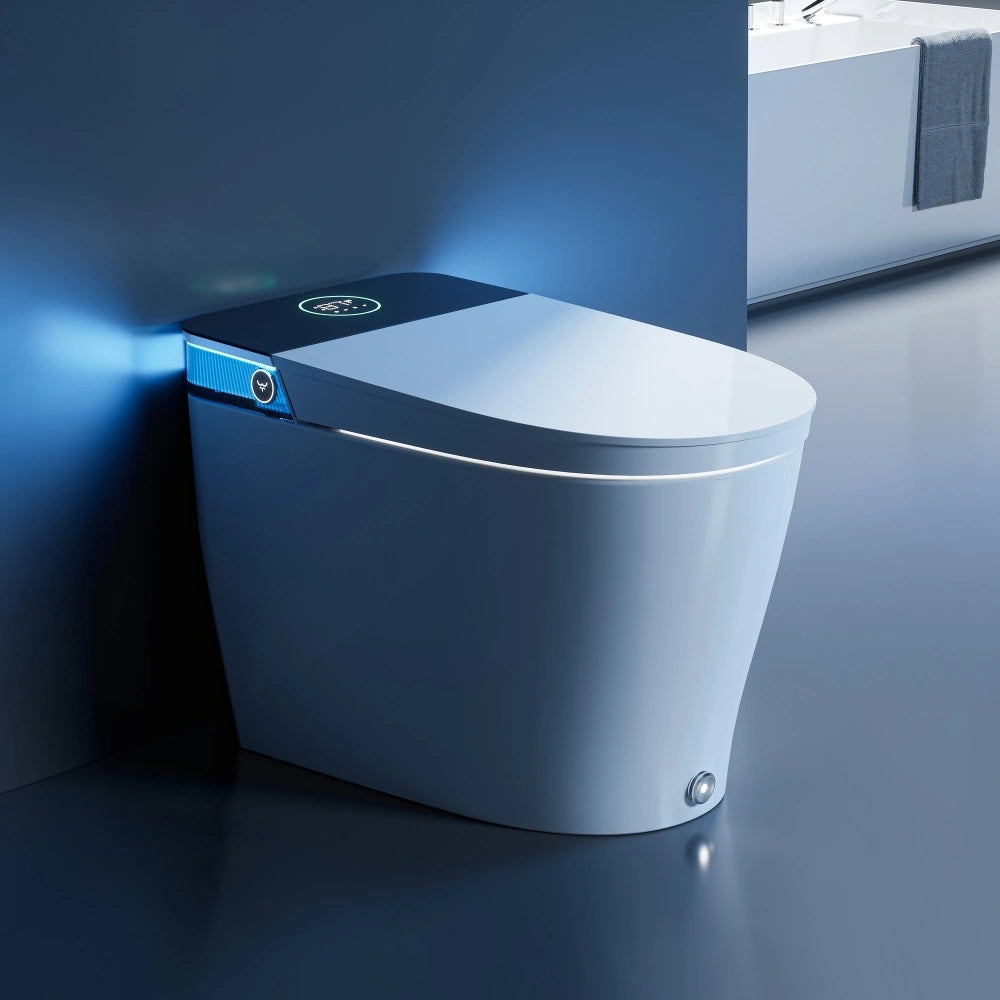
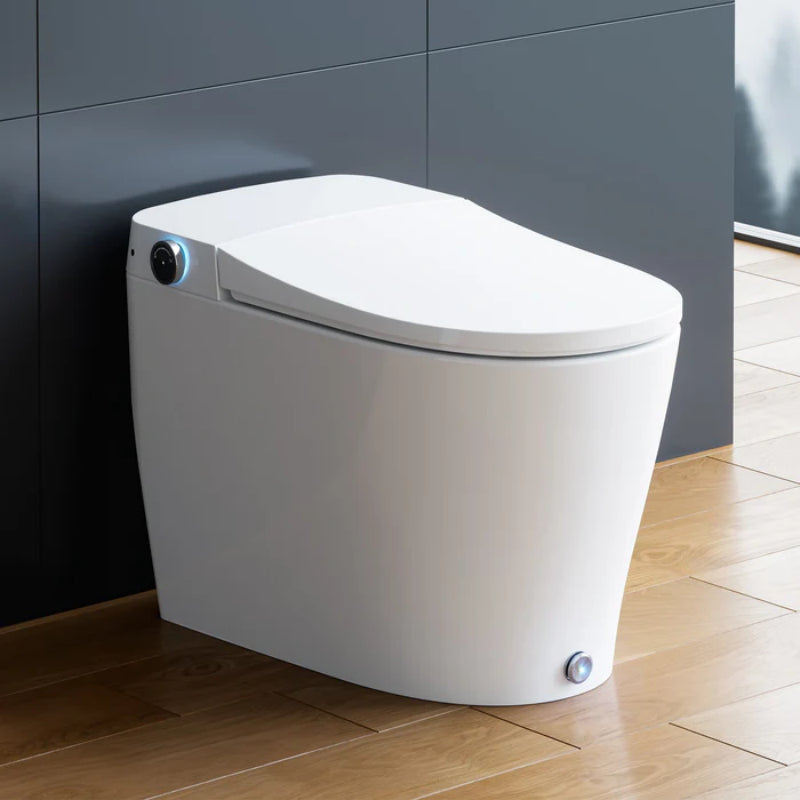

Many smart toilets rely on simple sensor systems, but they can quickly feel broken when issues like ghost flushing or misfiring lids appear. A lid opens when nobody is there, the flush misses sometimes, and unusual water usage can also signal early sensor trouble. The bidet starts, then stops because the toilet thinks no one is seated. At that point, the real question is not just how to diagnose smart toilet sensor issues at home, but also how to spot problems early before they affect performance. It is whether living with sensor-based features still makes sense in your bathroom and with your household habits.
Here’s where this works well in real homes — and where it often doesn’t.
Is it worth the hassle?
This section helps you quickly evaluate whether to continue the troubleshooting process, based on your household usage, environment, and how easily sensor issues can be resolved.
Decision Snapshot
Diagnosing smart toilet sensor issues is usually worth continuing if basic checks reveal common issues like dirt, obstructions, or minor power disruptions, and you can complete light cleaning and resets.
You should pause troubleshooting if issues persist despite basic fixes, power remains unstable, or problems recur immediately after repairs, rather than continuing to diagnose endlessly.
Best for routine, patient users
This tends to work best in homes where people use the toilet in a predictable way. They sit normally, do not hover, do not perch on the edge, and do not expect instant response every time. If that sounds ordinary, it is. Sensor systems reward ordinary use.
A homeowner who can follow a basic smart toilet sensor troubleshooting guide for homeowners will often solve small issues without much trouble. Common fixes include cleaning the infrared window, checking power, removing a bathmat that blocks a foot sensor, or learning that seat posture affects detection more than expected.
If your frustration level stays low when something needs a reset or a cleaning, the feature may still be worth keeping.
Skip for chaotic households
Some homes create sensor trouble even when nothing is technically broken.
This includes homes with young kids, guests, rushed mornings, edge-sitting, inconsistent posture, and bathrooms where people crowd the toilet area with stools, trash cans, scales, or thick mats. In those situations, the toilet may seem defective when it is really reacting to odd inputs.
That is why some owners regret these features. They expected hands-free convenience, but what they got was a system that needs users to behave in a narrow, repeatable way.
What makes sensors feel broken?
Most perceived sensor failures fall into five diagnostic categories: user behavior, maintenance/buildup, setup/fit inconsistencies, power irregularities, and potential hardware failure.
A lot of “sensor failure” starts with the difference between what owners expect and what the toilet is programmed to do.
Posture often changes detection
One of the most common complaints is that the smart toilet sensor fails to detect user presence. Owners often assume that means a bad sensor. Sometimes it does. But often the toilet is reading posture and weight distribution in a way the user did not realize mattered.
If someone sits too far forward, leans to one side, hovers slightly, or shifts during a wash cycle, the bidet toilet may think the user got up and pause functions unexpectedly. Then the wash stops, the seat heat changes, or the flush logic does not trigger.
What I’ve seen in practice is that this feels like random failure because the same person can use the toilet three times with three different results. The sensor is not always “wrong.” It may just be very literal.

Random lid openings have causes
If you are wondering why a smart toilet lid sensor opens randomly, start with the area around the toilet before assuming a bad part.
Infrared and proximity sensors can react to movement patterns, reflective surfaces, nearby objects, or users passing too close, disrupting proper operation. In a narrow bathroom, that can mean the lid opens when someone walks by, reaches for a towel, or turns near the vanity.
This is one of the biggest expectation gaps. Owners think auto-open means smart judgment. In reality, it often means “movement happened in the trigger zone.”
If random opening already annoys you, troubleshooting may reduce it, but it may not remove it fully if the bathroom layout keeps creating the same trigger.
False faults start with expectations
A toilet that delays flushing, pauses wash functions, or ignores a foot-sensor kick may not be failing. It may be operating within a narrow set of rules.
That does not make your frustration less real. It just changes the decision. If you want a feature that works with almost no thought, these systems can disappoint because they often require learned behavior.
So before you spend time on how to calibrate smart toilet user detection sensors, ask a basic question: is the issue truly malfunction, or is the toilet simply too picky for your household?
Will your bathroom setup cooperate?
Even a good sensor system can struggle in diverse bathroom environments, leading to inconsistent detection and unreliable function.
Seat fit changes sensor behavior
Poor fit causes many sensor complaints. If the seat sits slightly crooked, the hinges tilt, or the bowl shape does not match the seat well, user position changes. That small change can throw off occupancy detection.
This is why some people keep troubleshooting smart toilet auto-open lid sensor problems or wash interruptions without realizing the root issue is physical fit. The toilet works best when users sit consistently, but poor fit can still throw off detection even with normal use.
If the setup feels awkward even after installation, the toilet continues to behave poorly, and sensor complaints often follow.
Obstructions confuse foot sensors
If you need to know how to fix a bidet foot sensor not working, first look for simple interference. A thick bathmat, low storage bin, toilet brush holder, or even floor clutter near the base can block the trigger area and create operational issues.
Foot sensors are among the most common advanced features on smart toilets, yet they often disappoint in real home use. They work best when the floor area stays clear and users trigger them the right way. In bathrooms where the floor is crowded, they become unreliable fast.
So the issue may not be repair. It may be that your bathroom never gave that sensor enough room to work well.

Power problems mimic sensor failure
Many owners start with sensors when they should isolate power-related problems first to avoid misdiagnosis. Check for moisture exposure near outlets or wiring, recent electrical work that may have disrupted connections, and a weak or dead backup battery early in your diagnosis—these are clear signs to pause DIY and seek professional help. A tripped outlet, brief outage, weak backup battery, or loose connection can make sensor behavior look random.
If you are dealing with smart toilet sensor issues after a power outage or GFCI trip, it is reasonable to suspect the settings or control logic got disrupted. That can affect lid sensing, auto flush, and user detection all at once.
Here is a simple decision table for what to check first:
| Symptom | More likely cause | Worth DIY? |
| No response from all sensors | Power supply or reset issue | Yes |
| Lid opens randomly | Trigger zone, layout, dirty sensor | Yes |
| Auto-flush works sometimes | User detection, posture, buildup | Yes |
| Foot sensor fails only sometimes | Obstruction or poor trigger angle | Yes |
| Multiple odd behaviors after outage | Settings corruption or board issue | Start DIY, then escalate |
| Problems return after every reset | Wiring or control board fault | Usually no |
The key point is that a checklist for diagnosing smart toilet sensor and power supply problems should come before deeper repair guesses.
How much upkeep is normal?
This is where some regret starts. People buy the feature for convenience, then learn that convenience depends on upkeep.
Cleaning is part of ownership
If you want to know how to clean smart toilet infrared sensors safely, the answer is usually gentle cleaning with a soft cloth and no harsh abrasion. What matters for the homeowner decision is not the exact method. It is accepting that sensor cleaning is not optional in many bathrooms.
Dust, splashes, residue, and bathroom film build up slowly and can even affect water temperature consistency over time. Then the toilet starts acting strangely in ways that seem electrical. You reset it, it improves briefly, and the issue returns because regular maintenance has been neglected.
If you dislike routine maintenance, this can become annoying.
Mineral buildup causes intermittent faults
Understanding how mineral deposits and water quality affect sensor performance is often overlooked in basic troubleshooting tips. In hard-water homes, deposits can form around nozzles, sensor-adjacent areas, and moving parts, often worsened by low supply pressure and a clogged filter. The result is often intermittent trouble, not total failure.
That is why identifying the cause of the issue requires looking beyond just the sensor to water supply and mechanical parts. A homeowner may chase electronics when the real problem is residue or a faulty supply valve that changes daily behavior.
This is one of the most common “I wish I knew” points. Intermittent problems are harder to live with than full failure, as basic troubleshooting steps rarely provide a permanent fix.
Will this still work after outages?
A fair concern is how to reset smart toilet proximity sensor settings after power loss. Some toilets recover cleanly. Others need a manual reset or a fresh calibration pass.
If your home gets frequent outages or the bathroom outlet trips now and then, expect more nuisance problems. You may also end up wondering when to factory reset a smart toilet for sensor issues.
A reset can help after a power event, but you should always reference your user manual for model-specific steps. But if you need repeated resets just to restore normal behavior, that points to a deeper issue or a poor fit between the toilet and your home’s power stability.

When should you stop troubleshooting?
At some point, more DIY stops being practical. Clustered failures across lid sensing, seat sensing, flush, or wash functions typically signal an upstream power, control board, or wiring issue rather than multiple separate sensor faults.
Resetting can help, not cure
It is reasonable to try a restart, check power, clean the sensor area, and review settings. Be aware repeated wash interruption or spray inconsistency may stem from non-sensor components, so avoid attributing every symptom to sensor failure. In some cases, how to reset smart toilet proximity sensor settings or run a calibration solves the problem.
But repeated resets are not a maintenance plan. If the toilet needs one every few weeks, the issue is not really solved. You are managing symptoms.
The same goes for how to calibrate smart toilet user detection sensors. Simple sensor adjustments can improve detection if settings drifted over time. It will not fix bad fit, odd user habits, grime, or electrical faults.
Wiring faults need escalation
Smart toilet sensor problems caused by faulty wiring or control board issues are where many homeowners should stop. If sensors fail in clusters, settings do not hold, or odd behavior started after electrical work or moisture exposure, deeper troubleshooting may not be worth your time, as smart bathroom electronics adhere to industry electrical standards set by NEMA.
This is especially true if the smart toilet auto-flush sensor is not working properly along with seat sensing or lid movement. Multiple systems failing together often means the problem is upstream from any one sensor.
At that stage, the risk is not just wasted effort. It is making the problem worse or requiring expensive replacement parts for an issue you could have resolved earlier.
What happens after repeated resets?
If you have already cleaned the unit, checked the outlet, confirmed no obstructions, and done one careful reset, the next step should be a decision, not endless trial and error.
Ask yourself:
-
Does this bathroom allow the sensors to work as intended?
-
Do the users in this home naturally use it in a sensor-friendly way?
-
Am I fixing a one-time issue, or fighting the same design limits again and again?
If the answer points to repeated friction, then diagnosing smart toilet sensor issues may no longer be “worth it” in a practical sense, even if the toilet can technically be repaired.

Before You Choose
-
Check that the seat fits the bowl cleanly and does not shift or tilt.
-
Look at the floor area for mats, bins, and other objects that can block sensors.
-
Be honest about user habits like hovering, edge-sitting, or kids using it roughly.
-
Expect regular cleaning if your bathroom gets dusty, damp, or has hard water.
-
If your outlet trips or power blinks often, expect more sensor-related nuisance issues.
FAQs
1. Why isn't my auto-lid opening?
When you need to diagnose smart toilet sensor issues, a non-responsive auto-lid often relates to troubleshooting auto-open lid sensors that are blocked, dirty, or out of alignment. This problem can also come from poor seat fit, nearby obstructions, or mild power interruptions that disrupt sensor signals. Learning to adjust and calibrate these components helps restore reliable lid activation without complex repairs. Ignoring basic sensor checks may lead you to misdiagnose hardware failure when simple cleaning or resetting works.
2. How do I fix a ghost-flushing smart toilet?
Ghost flushing in smart toilets is often tied to unintended sensor triggers and can be resolved by taking targeted steps to diagnose smart toilet sensor issues. Start by carefully cleaning smart toilet infrared sensors, as dust, water splashes, and mineral residue can easily cause false detection signals. You’ll also want to check for reflective surfaces, moving bathmats, or nearby objects that disrupt the sensor’s detection zone, which are common reasons users ask why does my bidet open randomly. If cleaning and rearranging the space don’t help, unstable power or corrupted settings may be the cause, and resetting smart toilet proximity settings can often restore normal function without needing full part replacement.
3. Where are the sensors on a Horow toilet?
Locating your Horow toilet sensors is a key first step to diagnose smart toilet sensor issues for lid, seat, and foot activation. Auto-open and proximity sensors typically sit on the front of the seat base, while foot sensors lie near the bottom edge for flush activation. Identifying these parts helps with troubleshooting auto-open lid sensors and fixing bidet foot sensor problems more efficiently. Knowing their position also prevents accidental damage during cleaning or bathroom rearranging.
4. Can I clean my bidet sensors with Windex?
Cleaning smart toilet infrared sensors correctly is vital when you diagnose smart toilet sensor issues, and Windex or harsh chemicals are not safe for these sensitive parts. Harsh cleaners can damage sensor coatings, leave streaks, and cause intermittent detection failures. Use only a soft microfiber cloth with mild water to remove dust, splashes, and mineral buildup safely. Improper cleaning can create ongoing issues that mimic permanent sensor or electronic failure.
5. Why does my foot sensor stop working?
When fixing bidet foot sensor problems as part of efforts to diagnose smart toilet sensor issues, blocked detection zones and dirt are the most common causes. Thick mats, floor clutter, or moisture near the base can prevent the sensor from registering activation correctly. Power instability, weak batteries, or loose wiring may also appear to be sensor failure. In some cases, recalibrating the sensor or clearing the surrounding area restores full function quickly.
6. How to reset my smart toilet sensors?
Resetting smart toilet proximity settings is a core step when you diagnose smart toilet sensor issues and resolve glitches from power outages or disrupted electronics. Begin by cutting power to the toilet for 60 seconds to fully reboot its control system. After restoring power, you may need to perform calibrating smart bathroom electronics to realign seat and lid detection. This process often fixes erratic behavior without advanced repairs, though repeated resets signal deeper electrical or wiring issues.
References


Leave a comment
This site is protected by hCaptcha and the hCaptcha Privacy Policy and Terms of Service apply.